ChromaBlender
Professional color transfer tool
ChromaBlender carries the visual feel and mood of a reference image onto your own images. It brings together the fastest, most practical ways to edit a photo and gives you plenty of options: five color-transfer methods, full RAW support, and batch processing for whole folders. It lives at chromablender.com, alongside LUTForge.
Who it is for
ChromaBlender is for people who already know how they want a picture to look, and would rather point at an example than rebuild it from sliders every time.
-
Social media creators
Carry one recognisable look across a whole feed, taken from a single reference photo rather than reproduced by hand each time.
-
Semi-professional photographers building a style
Start from a picture you admire instead of a stack of sliders, and work towards a look that is recognisably yours.
-
Photographers who shoot RAW
Around 40 RAW formats are read directly, and the result comes back out as 16-bit TIFF, so the detail survives the round trip.
-
Wedding, event and travel photographers
Come home with a full card and put one grade across the entire folder in a single pass, rather than image by image.
-
Colour specialists who want to pick the method
Choose per image from Reinhard, Histogram, LUT, Luminance and selective zone transfers, rather than accepting one fixed approach.
-
Anyone holding a set that does not match
Pictures shot on different days, in different light, or on different cameras can all be brought to one reference.
-
People on ordinary hardware
Every step runs on the CPU, so an ordinary laptop or desktop with no dedicated graphics card is enough.
-
People who want the short route to a finished photo
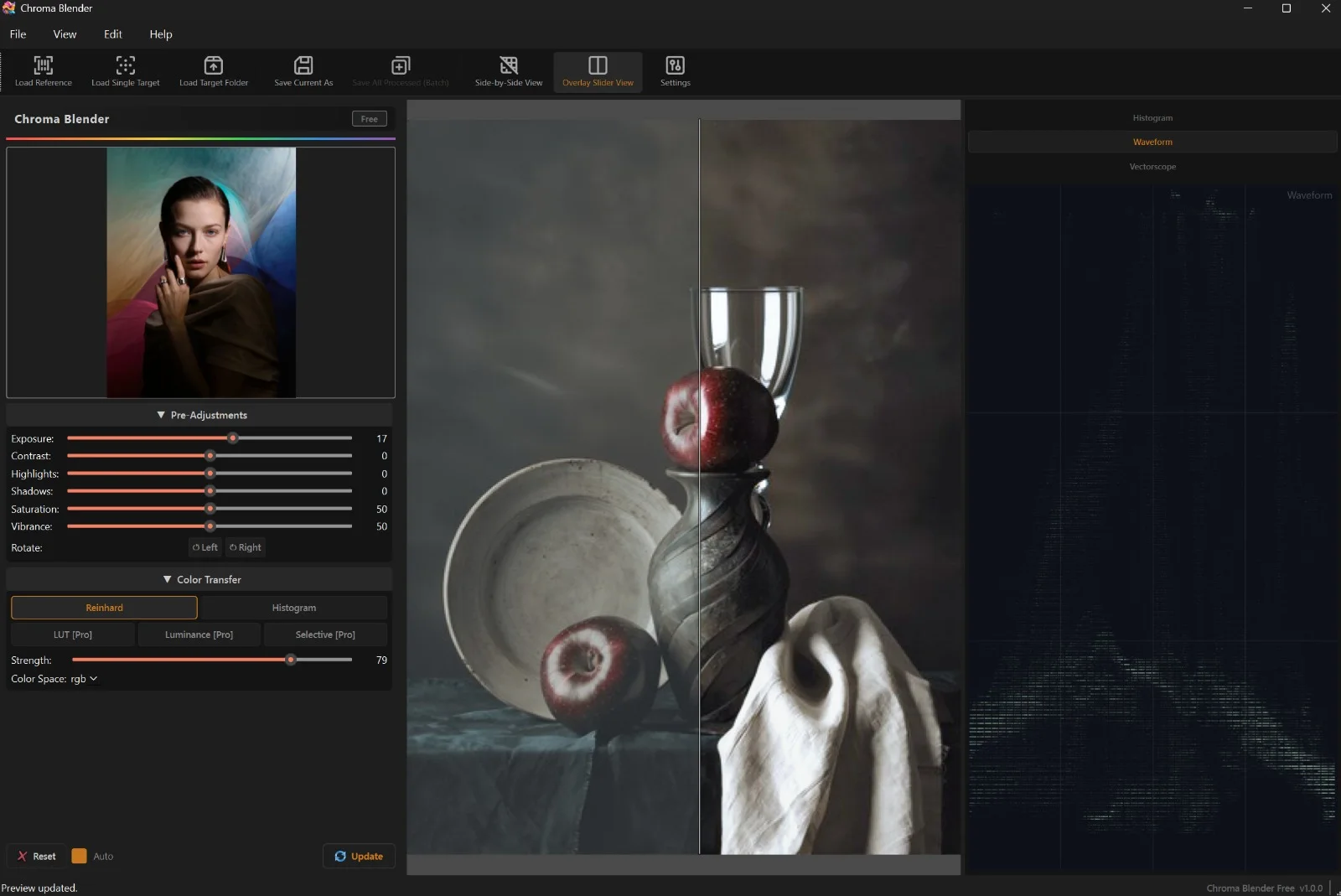
Set exposure, contrast, highlights, shadows and vibrance before the transfer runs, then judge the result side by side before you save it.
What it does
-
5 color-transfer methods
Reinhard, Histogram, LUT, Luminance, and Selective zone methods. Pick the method that suits the shot.
-
Batch a whole folder
Load a folder of RAW or JPEG files and apply the same grade to all of them in one pass.
-
Full RAW support
Reads CR2, NEF, ARW, DNG and around 40 RAW formats in total, and outputs 16-bit TIFF to preserve all the detail.
-
Pre-processing controls
Exposure, contrast, highlights, shadows, saturation, and vibrance, all applied before the colour transfer runs.
-
Side-by-side preview
Split-screen and overlay-slider views let you judge the result at full resolution before you commit to it.
-
No dedicated graphics card needed
Processing runs entirely on the CPU, and it is tuned to keep batch jobs moving on ordinary hardware.
Good to know
- The Free edition is genuinely usable, not a time-limited demo.
- Pro is a one-time lifetime licence covering one PC: batch folder processing, presets, selective zones, LUT transfer (.cube), priority email support, and minor version updates.
- Studio is a one-time lifetime licence covering two PCs: everything in Pro, plus all future add-on packs and major version updates.
- Licences are machine-bound and work offline; they need to reach the internet about once every 30 days to stay verified.
- Runs on Windows 10 and 11. AI colour transfer and a native macOS version are on the public roadmap.